
Reporting and Client Dashboard Automation for Agencies
Drew Rattray · May 29, 2026 · 10 min read

Quick Answer
Reporting and client dashboard automation for agencies means using software to pull client data from multiple sources (ads, analytics, CRM, social) into live dashboards and scheduled reports without manual copy-paste. For most small agencies in 2026, it cuts reporting time by 50 to 80 percent, reduces errors, and lets one account manager handle more clients confidently [1][3]. Expect to pay 50 to 500 dollars per month depending on client count and integrations.
Key Takeaways
- Automated client reporting replaces spreadsheets and slide decks with live dashboards that update on a schedule.
- Roughly 47 percent of administrative agency tasks are automatable, and reporting consistently ranks among the highest ROI to automate [5].
- Pricing typically runs 50 to 500 dollars per month for small agencies; some tools offer free tiers under 3 clients.
- You do not need a developer. Most modern platforms use prebuilt connectors and drag-and-drop builders.
- The biggest mistake is automating a bad report. Fix the template first, then automate.
- Pick tools that match your client mix: social-first, paid media, SEO, or full-funnel.
- Always build a fallback plan for broken API connections, because integrations do fail.
What Exactly Is Client Dashboard Automation?
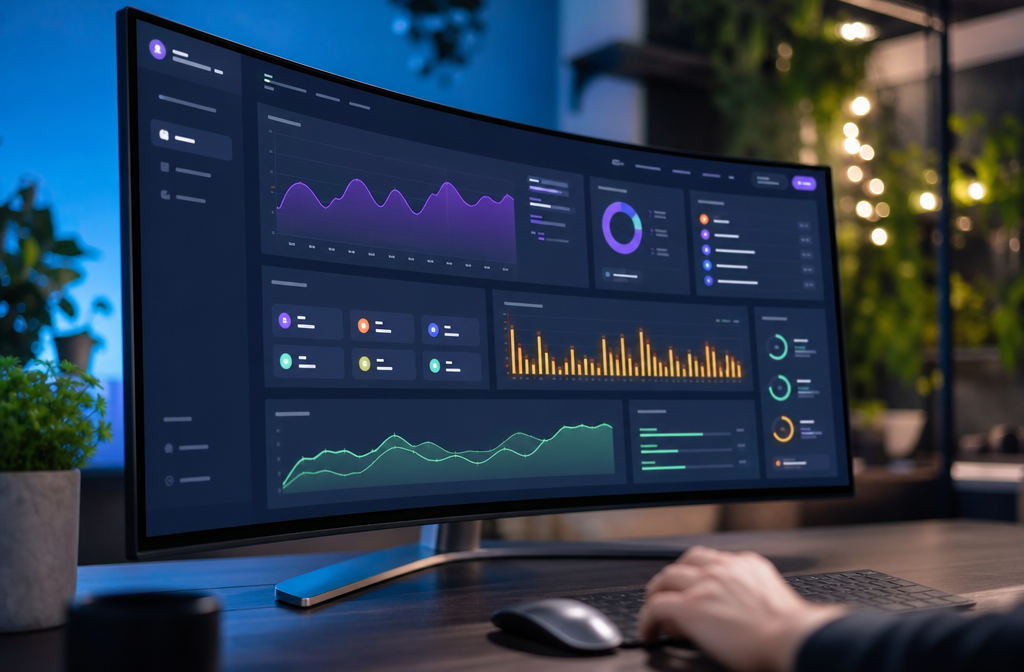
Client dashboard automation is the practice of connecting your clients' marketing data sources to a central tool that builds live, branded dashboards and sends scheduled reports automatically. Instead of logging into Google Ads, Meta, GA4, and HubSpot every month, the platform pulls the numbers, applies your template, and delivers a PDF or live link to the client.
Three things define a true automated setup:
- Live data connectors to ad, analytics, CRM, and social platforms.
- Reusable templates so a new client takes minutes, not hours.
- Scheduled delivery by email or shared link, with no human in the loop on report day.
This is one piece of a broader operational shift covered in the 2026 Agency Guide to Automation, which looks at how small agencies are restructuring around AI and automated workflows.
How Much Do Reporting Tools for Marketing Agencies Cost?
Most reporting tools for marketing agencies cost between 50 and 500 dollars per month for small agencies, scaling by number of clients, data sources, and users [2][4]. Enterprise platforms with full data warehousing can run 1,000 dollars per month or more.
| Tier | Typical Price | Best For |
|---|---|---|
| Free / Starter | 0 to 50 dollars | 1 to 3 clients, basic channels |
| Small Agency | 50 to 250 dollars | 5 to 25 clients, multi-channel |
| Growth | 250 to 750 dollars | 25 to 100 clients, white-label |
| Enterprise | 1,000 dollars plus | Custom data warehouse, SLAs |
Watch for hidden costs: extra fees per data source, per user seats, and white-label branding add-ons.
Which Reporting Software Integrates With Most CRM Platforms?
Platforms with the widest CRM coverage in 2026 include Improvado, Funnel.io, Swydo, AgencyAnalytics, and Domo, with native connectors for HubSpot, Salesforce, Pipedrive, Zoho, and ActiveCampaign. If your agency lives in HubSpot or Salesforce, almost every major tool supports you. For niche CRMs, check the connector list before signing up.
Decision rule: If more than half your clients use the same CRM, prioritize a tool with a native, two-way connector rather than a Zapier workaround. Native connectors break less often and pull historical data.
Can I Customize Dashboards for Different Client Industries?
Yes. Modern platforms let you build templates per industry (e-commerce, B2B SaaS, local service, nonprofit) and clone them per client [4][6]. A local dental practice does not need cost-per-acquisition the same way an e-commerce store does, and your dashboard should reflect that.
Common industry templates:
- E-commerce: ROAS, AOV, conversion rate, top products, cart abandonment.
- B2B/SaaS: MQLs, SQLs, pipeline velocity, CAC, demo bookings.
- Local service: Call tracking, form fills, Google Business Profile views, review count.
- Content/SEO: Organic sessions, keyword rankings, top landing pages, backlinks.
What Are Common Mistakes Agencies Make With Reporting Tools?
The most common mistake is automating a report nobody reads. Other frequent errors include too many metrics, no narrative, broken connectors left unfixed, and copying ad platform numbers without context.
Avoid these traps:
- Vanity metric overload. Impressions and likes without conversion context.
- No commentary. Clients want to know what the numbers mean, not just see them.
- Set and forget. Automation still needs a monthly human review.
- Inconsistent attribution windows across channels, which makes totals look wrong.
- White-labeling later. Set up your branding before onboarding clients, not after.
Is Dashboard Automation Good for Small Agencies or Just Enterprise?
Dashboard automation is arguably more valuable for small agencies than enterprise ones, because solo operators and 2 to 10 person teams feel reporting overhead the most. A solopreneur managing 8 clients can lose a full week per month to reports. Automation gives that week back.
Choose automation early if you:
- Spend more than 3 hours per client per month on reporting.
- Manage 5 or more clients across the same handful of channels.
- Plan to scale past 10 clients in the next year.
Hold off if you:
- Have fewer than 3 clients and unique reporting needs for each.
- Are still figuring out which metrics matter to your service.

How Do I Migrate Existing Client Reports to an Automated System?
Migrate in phases, not all at once. Start with one or two clients, rebuild their report inside the new tool, run both versions in parallel for a month, then switch off the manual version.
A practical 5-step migration:
- Audit current reports. List every metric, source, and recipient.
- Build one master template that covers 80 percent of clients.
- Connect data sources for one pilot client.
- Run parallel reports for 30 days to catch discrepancies.
- Roll out in batches of 3 to 5 clients per week.
Common edge case: historical data limits. Most connectors only pull 12 to 25 months back, so export your old data first if you need long-term trend lines.
What Metrics Should I Definitely Include in My Agency Dashboards?
Include the metrics your client actually uses to judge whether to keep paying you. That usually means a small set of business outcomes plus the channel metrics that drive them.
Core layers every dashboard needs:
- Business outcome: revenue, leads, bookings, or pipeline value.
- Efficiency: cost per lead, cost per acquisition, ROAS.
- Volume: sessions, impressions, reach (context only).
- Quality: conversion rate, engagement rate, bounce rate.
- Trend: month-over-month and year-over-year change.
Cap it at 8 to 12 visible metrics on the main view. Push the rest into a secondary tab.
Are There Free Reporting Automation Tools for Agencies?
Yes. Google Looker Studio is the most widely used free option and connects natively to GA4, Google Ads, Search Console, and YouTube [2][8]. Most paid tools also offer free tiers or trials covering 1 to 3 clients.
Free or low-cost options to consider:
- Looker Studio: free, strong Google ecosystem, weaker for paid social.
- Whatagraph, Swydo, AgencyAnalytics: free trials, then paid tiers.
- HubSpot reporting: free if clients are already on HubSpot CRM.
The tradeoff: free tools usually require more manual setup and have fewer non-Google connectors.
How Does Automated Reporting Save Time Compared to Manual Work?
Automated reporting typically saves 50 to 80 percent of the time spent on client reports, mostly by eliminating data pulling, copy-paste, and formatting. A report that took 4 hours manually often drops to 30 to 60 minutes of review and commentary.
Where the time savings come from:
- No logging into 5 to 10 platforms per client.
- No re-formatting screenshots into slides.
- No fixing broken spreadsheet formulas.
- Templates reused across clients.
- Scheduled delivery removes the "send it out" step entirely.
What Technical Skills Do I Need to Set Up Dashboard Automation?
Almost none. Modern tools are built for non-technical agency owners, with prebuilt connectors, drag-and-drop widgets, and template libraries [2][6][8]. If you can use Canva or Google Sheets, you can build an automated dashboard.
Helpful but optional skills:
- Basic understanding of UTM parameters and attribution.
- Knowing what a calculated field or formula is.
- Comfort reading API error messages when a connector breaks.
For anything beyond that, most platforms have onboarding support or partner agencies.
Which Reporting Platforms Work Best for Social Media Agencies?
For social-first agencies, look at platforms with strong native connectors to Meta, TikTok, LinkedIn, X, Pinterest, and YouTube, plus social listening data. AgencyAnalytics, Whatagraph, and Swydo are commonly cited for social-heavy reporting [8][9].
What to check before signing up:
- Does it pull organic and paid social separately?
- Can it report on Reels, Stories, and TikTok video metrics?
- Does it support competitor benchmarking?
- Can you white-label dashboards with your agency brand?
What Happens if a Data Integration Breaks in My Dashboard?
When an integration breaks, the dashboard either shows stale data, gaps, or zeroes, which is the fastest way to lose client trust [3][6]. Most platforms send alerts, but you should not rely on alerts alone.
Build a 3-part safety net:
- Weekly spot-check of one or two clients before reports go out.
- Alerts turned on in your platform for failed syncs and re-auth needs.
- Backup export of last month's data so you can patch a report if needed.
Most breaks come from expired API tokens, especially after platforms like Meta or Google push security updates. Re-authenticating usually fixes it in minutes.
Conclusion and Next Steps
Reporting and client dashboard automation for agencies is no longer optional in 2026. It is the difference between an account manager handling 8 clients comfortably and burning out at 4. The tools are mature, affordable, and reachable for non-technical owners.
Your next steps this week:
- Pick one client and list every data source in their current report.
- Start a free trial of one tool that connects to those sources (Looker Studio, Swydo, or AgencyAnalytics are good starts).
- Rebuild that client's report as a template.
- Run it in parallel for 30 days.
- Once stable, roll it out to 3 more clients.
Focus on freeing the time first. Use that time to think, sell, and improve client results, which is what clients actually pay you for.
FAQ
How long does it take to set up automated client reporting? For one client, expect 2 to 4 hours including connector setup and template design. Subsequent clients on the same template take 15 to 30 minutes each.
Can clients log in and view their own dashboards? Yes. Most platforms offer live, white-labeled client portals with view-only access, which reduces "where are my numbers" emails.
Do automated reports replace strategy calls? No. They replace the data-gathering work so you can spend calls on strategy and recommendations instead of reading numbers aloud.
What if a client wants a custom metric not in the platform? Most tools support calculated fields or custom formulas. For anything truly unique, you can usually import a Google Sheet as a data source.
Is my client data secure in these platforms? Reputable tools are SOC 2 compliant and use OAuth for connections, meaning they never store client passwords. Always check the security page before signing up.
Can I white-label dashboards with my agency brand? Yes, on most paid plans. This usually includes logo, colors, custom domain, and removing the vendor's branding.
How often should automated reports be sent? Monthly is standard for retainers. Weekly works for paid media clients. Daily is rarely useful and creates alert fatigue.
What is the ROI of reporting automation for a small agency? If you save 10 hours a month at 100 dollars per hour effective rate, that is 1,000 dollars in recovered time against a 100 to 300 dollar monthly tool cost.