
How to Set Up Lead Response Automation for Your Agency
Drew Rattray · Apr 10, 2026 · 11 min read

Quick Answer
To set up lead response automation for your agency, connect every lead source (forms, ads, calls) to a central CRM, then build workflows that trigger an SMS or email reply within 60 seconds, score and route the lead to the right team member, and follow up automatically until they book. The goal is a first response under five minutes, which studies link to up to 400% higher conversion rates.
Key Takeaways
- Speed is the single biggest lever. Responding within five minutes can lift conversions by up to 400%.
- A working stack needs four parts: lead capture, CRM, automation engine, and a calendar booking tool.
- Small agencies benefit more than enterprises because automation replaces headcount you don't have.
- Most agencies pay between $97 and $497 per month for a complete lead response stack.
- Track speed-to-lead, contact rate, booked rate, and show rate, not just total leads.
- AI receptionists and SMS bots now handle missed calls, web forms, and Facebook/Google Ads leads in seconds.
- The most common mistake is automating bad messaging. Fix the script before you fix the speed.
What Exactly Is Lead Response Automation for Marketing Agencies
Lead response automation is software that contacts a new lead within seconds of them submitting a form, calling, or clicking an ad, without a human pressing a button. For agencies, that usually means an SMS or email reply, a qualifying question, and a calendar link, all fired from a CRM workflow.
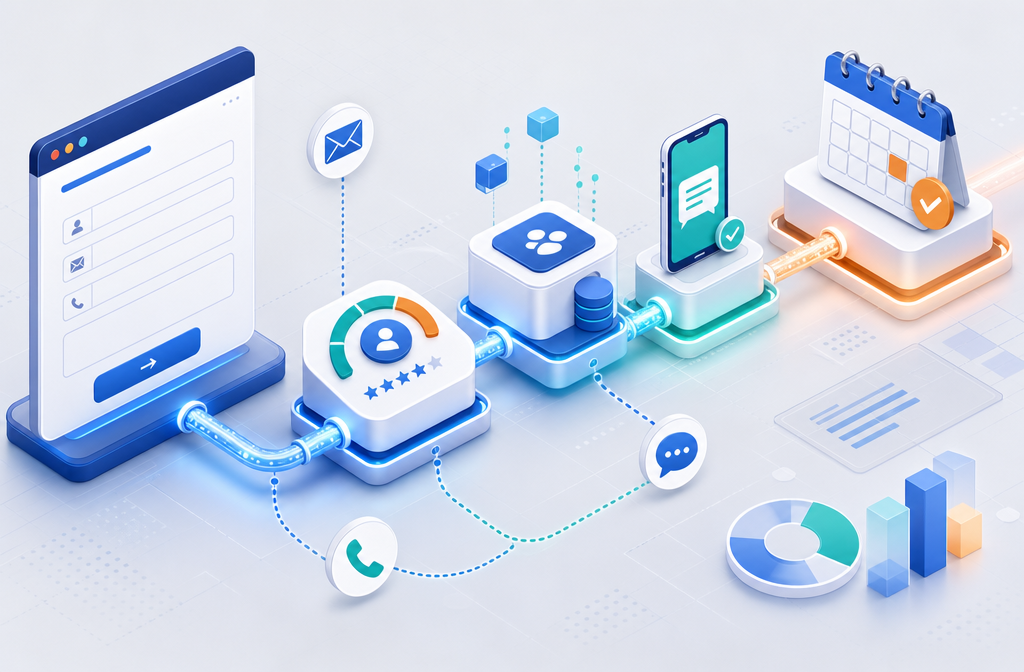
It replaces the old pattern of leads sitting in an inbox for hours. A typical flow looks like this:
- Lead fills out a form on your site or a Facebook Lead Ad.
- The CRM receives the lead and tags the source.
- An automated SMS goes out in under 60 seconds.
- If they reply, a bot or rep qualifies them and books a call.
- Reminders, no-show follow-ups, and nurture sequences run on their own.
This sits inside the broader stack covered in the 2026 Agency Guide to Automation, which walks through every system a modern agency should automate.
How Quickly Should I Respond to New Leads
Within five minutes, ideally under one. Research compiled by Default and others shows conversion rates can climb by as much as 400% when leads are contacted within five minutes versus longer windows [1]. After 30 minutes, contact rates fall off a cliff.
Practical benchmarks:
| Response window | Likelihood of conversion |
|---|---|
| Under 1 minute | Highest |
| 1 to 5 minutes | Strong |
| 5 to 30 minutes | Moderate decline |
| Over 30 minutes | Sharp drop |
| Over 1 hour | Often cold |
The rule of thumb: if a human can't reply that fast every time, automate the first touch.
How Much Does Lead Response Software Typically Cost
Most agencies spend between $97 and $497 per month for a full stack, depending on the platform and volume. Standalone tools like SMS senders start around $20 to $50. All-in-one platforms like GoHighLevel sit in the $97 to $297 range for agencies [3]. AI receptionist add-ons can run $99 to $499 per month on top.
Rough cost tiers:
- Starter ($50 to $150/mo): Basic CRM, email and SMS automation, one calendar.
- Growth ($150 to $400/mo): All-in-one platform, AI replies, multiple pipelines, integrations.
- Advanced ($400+/mo): AI voice receptionist, data enrichment, multi-location routing.
Choose the starter tier if you handle under 100 leads a month. Move up only when speed or volume breaks the cheaper setup.
Best CRM Tools for Automated Lead Follow-Up
The best CRMs for agency lead response combine capture, automation, and booking in one place. Top picks based on agency adoption:
- GoHighLevel: Built for agencies, includes pipelines, SMS, email, calendars, and white-label options.
- HubSpot: Strong for content-driven agencies, free tier available, deeper reporting.
- Close: Best for call-heavy sales teams, strong dialer and SMS.
- Pipedrive: Simple visual pipeline, good for solopreneurs.
- Leadflux: AI-first platform that responds to calls, texts, and web forms within seconds and books appointments directly [6].
Choose GoHighLevel if you want one tool that does almost everything. Choose HubSpot if reporting and content workflows matter more than SMS speed.
How to Set Up Lead Response Automation for Your Agency Step by Step
Here is the practical sequence. Most agencies can finish this in a week.
- Audit lead sources. List every place leads come in: website forms, Google Ads, Facebook Lead Ads, phone calls, chat, referrals.
- Pick one central CRM. Pushing everything into one system is the foundation. Skip this and automation breaks.
- Connect lead sources via native integrations or Zapier. Facebook Lead Ads and Google Ads both push directly into most CRMs.
- Write the first response message. Keep it short, human, and ask one question. Example: "Hi {first_name}, this is Sarah from {agency}. Got your request about {service}. Quick question, are you looking to start in the next 30 days?"
- Build the workflow. Trigger: new lead. Action: send SMS within 60 seconds, send email backup, notify rep, start follow-up sequence.
- Add lead scoring. Assign points for budget, timeline, and behavior to prioritize hot leads.
- Connect a calendar. Use Calendly, GoHighLevel calendars, or similar so booking is one click.
- Set follow-up cadence. Five to seven touches over 14 days is standard for cold leads.
- Test end to end. Submit a fake lead. Time every step. Fix anything over 60 seconds.
- Train the team. Show reps where leads land, how to reply, and how to mark outcomes.

How Do I Set Up Lead Response Workflows in My Current System
Start with the trigger, then map the actions in order. In any modern CRM, the pattern is the same: trigger, condition, action, delay, next action.
A basic workflow inside GoHighLevel, HubSpot, or Zapier looks like:
- Trigger: New lead created (from form, ad, or call).
- Condition: Source = paid ad? Branch into a faster sequence.
- Action 1: Send SMS at 0 minutes.
- Action 2: Send email at 2 minutes.
- Action 3: Notify rep via Slack at 3 minutes.
- Delay: Wait 1 hour.
- Action 4: If no reply, send second SMS.
- Loop: Continue for 14 days, then mark cold.
Most platforms have prebuilt templates. Start with one and modify rather than building from scratch.
What Are Common Mistakes Agencies Make With Lead Automation
The biggest mistake is automating a bad message. Speed amplifies whatever you send, so a robotic, off-target reply just turns leads off faster.
Other frequent errors:
- Over-automating early. Sending five messages in the first hour feels like spam.
- No human handoff. Bots should pass warm leads to a rep, not loop forever.
- Ignoring opt-out and compliance. SMS requires consent and clear opt-out language.
- Skipping lead scoring. Treating every lead the same wastes rep time.
- No data enrichment. Missing phone numbers or job titles kill personalization.
- Not tracking outcomes. If you don't measure booked rate, you can't improve it.
Fix the message first. Then fix the speed. Then add scoring.
Is Lead Response Automation Good for Small Agencies or Just Enterprise
Small agencies and solopreneurs gain more, proportionally, than enterprises. When you don't have a sales team covering nights and weekends, automation is the only way to hit a five minute response window.
Choose automation now if:
- You handle more than 20 leads a month.
- You run paid ads (Google, Facebook, LinkedIn).
- You lose leads to slow follow-up or missed calls.
- You work solo or with a small team.
Hold off if:
- You get fewer than 5 leads a month, manual is fine.
- Your offer or message still isn't dialed in.
Which Industries See the Most Benefit From Lead Response Automation
High-velocity, high-intent industries benefit most. These include home services, legal, real estate, healthcare, fitness, coaching, financial services, and B2B SaaS. Any sector where a lead is comparing three to five providers in the same hour gains from being first to reply.
Agencies serving these verticals should treat lead response automation as core deliverable, not an add-on.
Can Lead Response Automation Work With Google Ads and Facebook Leads
Yes, and it should. Both platforms push leads via native integrations into most modern CRMs in real time.
- Facebook Lead Ads: Connect via Zapier, native CRM integration, or GoHighLevel's built-in connector. Leads arrive in seconds.
- Google Ads Lead Form Extensions: Use webhook integration or Zapier to push into the CRM.
- Landing pages: Use the CRM's native form or a tool like Unbounce with a webhook.
Paid leads are the highest-cost leads you'll ever get. Automating response within 60 seconds protects that spend.
What Metrics Should I Track for Lead Response Performance
Track four core metrics. Skip vanity numbers like total leads.
| Metric | What it measures | Target |
|---|---|---|
| Speed to lead | Time from submission to first contact | Under 5 minutes |
| Contact rate | Percent of leads reached | 60% or higher |
| Booked rate | Percent of leads that schedule | 20% to 40% |
| Show rate | Percent who attend the booked call | 70% or higher |
Review weekly. If speed to lead creeps up, the workflow has a gap.
Differences Between Basic and Advanced Lead Response Systems
Basic systems send a templated SMS or email on form submission. Advanced systems use AI to qualify, route, and book without human input.
| Feature | Basic | Advanced |
|---|---|---|
| First reply | Templated SMS/email | AI personalized message |
| Qualification | Manual | AI chat or voice bot |
| Routing | Round robin | Based on skill, availability, score |
| Booking | Calendar link | Auto-booked into rep's calendar |
| Missed calls | Voicemail | Instant AI text-back |
| Data | Static form fields | Real-time enrichment |
Start basic. Move to advanced once you have consistent volume and clear ROI.
How to Integrate Lead Response Automation With My Existing Sales Process
Map your current process first, then layer automation on top of the human steps you want to keep. Don't rebuild the whole funnel on day one.
A clean integration looks like:
- Keep your discovery call format. Automation books the call, the rep runs it.
- Use automation for the gap between submission and booking. That's where most leads die.
- Let reps own qualified conversations. AI handles cold and unresponsive leads.
- Sync notes back to the CRM. Every call outcome updates lead status automatically.
- Use automation for post-call follow-up. Proposals, contracts, and reminders run on workflows.
The result is reps spend their time on warm conversations, not chasing forms.
FAQ
How fast can I get lead response automation live? A working setup takes three to seven days for most small agencies if you use an all-in-one platform.
Do I need a developer? No. Tools like GoHighLevel, HubSpot, and Zapier are built for non-technical users.
Will leads know they're talking to a bot? If you write natural messages and hand off to a human when they reply, most won't notice or care.
What's the minimum viable stack? A CRM with SMS, a calendar tool, and Zapier or native integrations. Around $97 to $150 per month.
Can I automate phone calls too? Yes. AI receptionists answer calls 24/7, qualify, and book appointments [7]. Missed-call text-back is the easiest starting point.
How many follow-ups should I send? Five to seven touches over 10 to 14 days for cold leads. Stop sooner if they reply.
Does this work for high-ticket services? Yes. Automation books the call. The rep still closes the deal.
What if my CRM doesn't integrate with my ad platforms? Use Zapier or Make as a bridge. Almost every tool connects through them.
Conclusion
Lead response automation is the highest-leverage system a small agency can build in 2026. The math is simple: faster first contact equals more booked calls equals more revenue from the same ad spend.
Your next steps:
- Audit how long it currently takes to reply to a new lead. Time it honestly.
- Pick one CRM and consolidate every lead source into it this week.
- Build one workflow: new lead triggers SMS within 60 seconds.
- Add a calendar link and a five-touch follow-up sequence.
- Track speed to lead, contact rate, and booked rate weekly.
Start small, ship it in a week, then improve. The agencies winning right now aren't the ones with the fanciest stack. They're the ones who reply first.