Appointment Booking and No-Show Recovery Automation for Agencies
Drew Rattray · Apr 17, 2026 · 11 min read
Quick Answer
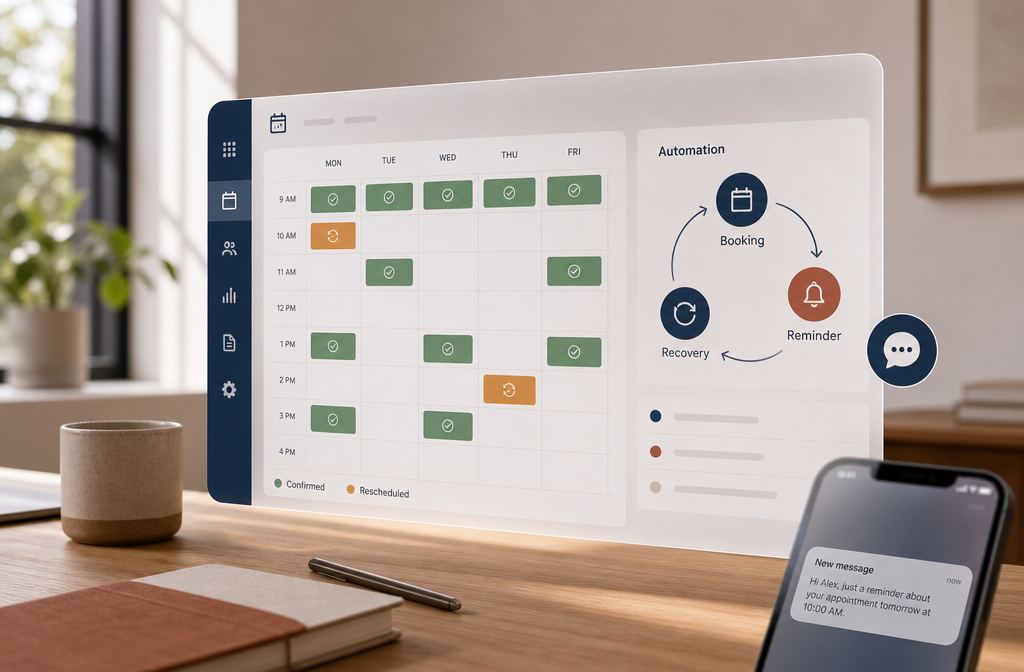
Appointment Booking and No-Show Recovery Automation for Agencies is software that lets clients self-book through a live calendar, then automatically sends reminders, fills cancellations from a waitlist, and follows up with anyone who misses a meeting. For small agencies, it typically cuts no-show rates by 30 to 78 percent and saves 15 to 20 staff hours per month [6][9]. Most tools cost between $0 and $300 per month depending on features and seat count.
Key Takeaways
- Booking automation handles scheduling, reminders, and rescheduling without staff intervention, freeing agency owners for billable work.
- No-show recovery tools can recover 60 to 70 percent of lost revenue by re-engaging missed appointments through SMS, WhatsApp, or voice [4][5].
- Free tiers exist (Calendly, Google Appointments), but agency-grade recovery features usually start around $30 to $99 per month.
- The biggest mistake agencies make is buying a calendar tool without a recovery sequence attached.
- Integration with your CRM, email, and payment processor is non-negotiable for accurate pipeline reporting.
- Reminder cadence (24 hours, 1 hour, 15 minutes) is the single biggest lever for cutting no-shows.
What Exactly Is Appointment Booking Automation?
Appointment booking automation is software that replaces the back-and-forth of scheduling with a self-serve link. A prospect picks a slot, the system books it, syncs your calendar, sends confirmation, and starts a reminder sequence, all without a human touching it. For agency owners, it removes the bottleneck of personally coordinating discovery calls, strategy sessions, and client check-ins.
Modern systems go further. They qualify leads with a short form, check team availability across multiple calendars, collect payment if needed, and trigger CRM updates the moment a slot is claimed [8]. This article is one chapter of The 2026 Agency Guide to Automation, which covers the broader automation stack agencies are building this year.
What's the Difference Between Scheduling and Booking Automation?
Scheduling automation is the calendar layer (when can we meet). Booking automation is the full transaction layer (when, what for, who pays, what happens next). Scheduling stops at the confirmation email. Booking carries the client through reminders, intake forms, payment, rescheduling, and follow-up.
For a solo consultant, scheduling is often enough. For an agency running sales calls, onboarding sessions, and recurring client work, booking automation is what actually protects revenue.
Why Do Clients Typically Miss Appointments?
Clients miss appointments for four predictable reasons: they forgot, their calendar didn't sync, something urgent came up, or they lost interest between booking and the meeting. The longer the gap between booking and the call, the higher the no-show risk.
Common patterns agencies see:
- Bookings made more than 7 days out have noticeably higher no-show rates.
- Friday afternoon and Monday morning slots fail more often than midweek mornings.
- Mobile bookings without calendar sync are a top failure point.
- Free consultations no-show at higher rates than paid sessions.
The fix is rarely a single reminder. It's a layered sequence that confirms commitment at multiple points.
How Do Automated Reminders Actually Work?
Automated reminders are pre-built sequences that fire at set intervals before the appointment, using the client's preferred channel. A typical sequence sends a confirmation immediately, a reminder 24 hours before, and a final nudge 15 minutes to 1 hour out.
Most platforms let you mix channels: email for the booking receipt, SMS for the day-before nudge, and WhatsApp or voice call for the final reminder [5]. Each message includes a one-tap reschedule link, so clients who realize they can't make it convert into a future booking instead of a no-show.
A reminder without a reschedule link is just a guilt trip. The link is what recovers the booking.
How Do I Reduce No-Show Rates by 50 Percent?
To cut no-shows by half, layer three tactics: multi-channel reminders, friction-free rescheduling, and automated recovery for anyone who still misses. Tools focused on this stack report reductions of 50 to 78 percent in client trials.
A proven sequence:
- Instant confirmation with calendar invite (email + SMS).
- 48-hour reminder asking the client to reply "C" to confirm.
- 24-hour reminder with reschedule link.
- 1-hour reminder by SMS or WhatsApp.
- Missed appointment trigger sends a friendly reschedule offer within 5 minutes.
- Waitlist fill if the slot stays open, the system offers it to the next person on a waitlist.
Agencies that add the missed-appointment trigger alone often recover 60 to 70 percent of the lost revenue.
Which Booking Tools Work Best for Marketing Agencies?
The best fit depends on team size, sales motion, and whether you need recovery features built in. Here's a quick comparison of common categories agencies use in 2026:
| Tool Category | Best For | Starting Price | Recovery Features |
|---|---|---|---|
| Calendly / Google Appointments | Solo founders, simple booking | Free | Basic reminders only |
| Cal.com, SavvyCal | Small teams, round-robin | $12 to $20/user | Reminders, basic reschedule |
| TidyCal, Acuity | Agencies with intake forms | $10 to $61/month | Email reminders, payments |
| Specialized recovery platforms (Ciela, RevRadar, Kronvi) | Agencies losing revenue to no-shows | $49 to $299/month | Waitlist fill, missed-call AI, multi-channel recovery [1][7][10] |
| AI receptionist tools (Confirmly, Caviyo, Servegalo) | Agencies with high inbound volume | $99 to $499/month | Voice + SMS + WhatsApp recovery |
Decision rule: if you book fewer than 20 calls a month, start free. If no-shows cost you more than $500 a month, move up to a recovery-focused platform.

How Much Does No-Show Recovery Software Cost?
No-show recovery software ranges from $0 (basic calendar tools with simple reminders) to $300+ per month for AI-driven multi-channel platforms. Most small agencies land between $49 and $149 per month for a dedicated recovery layer on top of their existing calendar.
Pricing structures usually fall into three tiers:
- Free or freemium: Calendly, Cal.com free, Google Appointments. Limited to one channel and basic reminders.
- Mid-tier ($30 to $150/month): Acuity, TidyCal Pro, Ciela templates. Adds SMS, custom workflows, and reschedule automation [10].
- Premium ($150 to $500+/month): Confirmly, WeRecur, Kronvi, Servegalo. Adds AI voice agents, WhatsApp recovery, and done-for-you setup.
Some vendors charge per booking, others per seat, and a few price by recovered revenue (revenue-share model). Read the fine print.
Are There Free Options for Appointment Booking Software?
Yes. Calendly, Cal.com, Google Appointments, and TidyCal all have free tiers that cover basic booking, calendar sync, and email reminders. They're enough for a solo agency owner handling under 30 bookings per month.
What free tools usually lack:
- SMS reminders (the single biggest no-show reducer).
- Automated waitlist fill.
- Missed-appointment recovery sequences.
- CRM integrations beyond a basic Zapier connection.
- Multi-team round-robin routing.
If your free tool is the reason you're losing two calls a week, the math for upgrading is simple.
Can This Software Integrate With My Existing CRM?
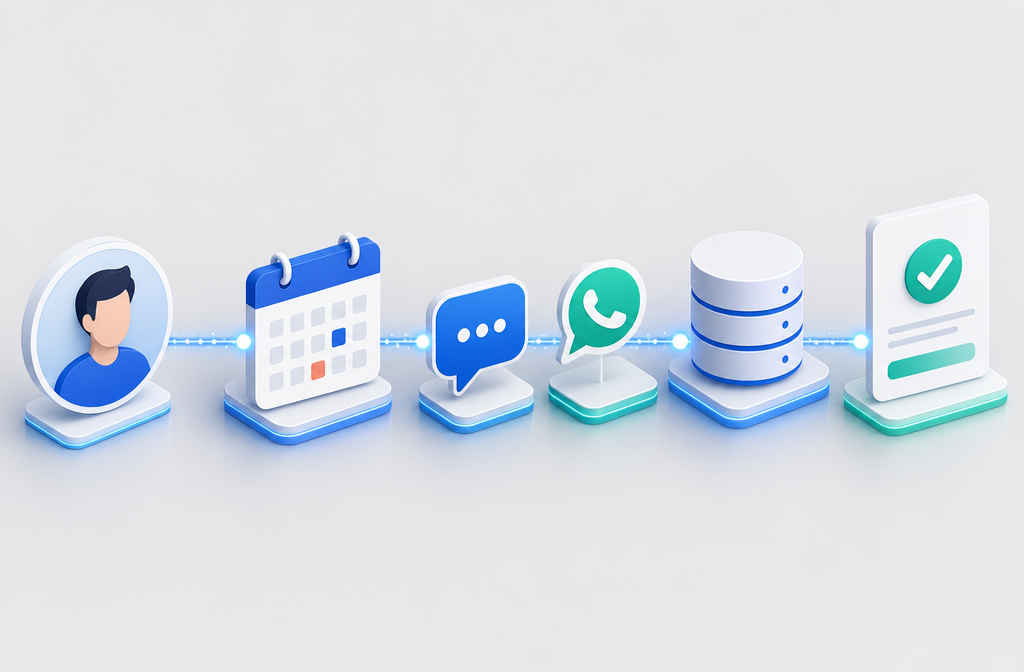
Most modern booking platforms integrate natively with HubSpot, Pipedrive, Salesforce, Go High Level, and Zoho, plus thousands of apps via Zapier or Make. New bookings, reschedules, and no-shows all push into your CRM automatically [8].
Before buying, verify three things:
- Native integration (not just a Zapier workaround) with your primary CRM.
- Two-way calendar sync with Google Calendar or Outlook.
- Webhook support, so you can trigger custom automations (Slack alerts, payment links, onboarding emails).
If a vendor can't answer these clearly, that's a red flag.
Is This Type of Software Good for Small Agencies or Just Enterprise?
Booking and recovery automation is built for small agencies as much as enterprise. In fact, the ROI is often higher for small teams because every recovered call is a meaningful percentage of pipeline. Vendors like Ciela, RevRadar, and Kronvi specifically target small service businesses with done-for-you setups.
Choose a small-agency tool if you:
- Have 1 to 15 team members.
- Book between 20 and 500 appointments per month.
- Don't have a dedicated ops or RevOps hire.
- Want setup measured in hours, not weeks.
Enterprise platforms make sense once you cross multi-location, multi-team, or compliance-heavy thresholds (healthcare, legal, financial services).
What Features Should I Look for in No-Show Recovery Tools?
The non-negotiable feature list for agency-grade no-show recovery:
- Multi-channel reminders (email, SMS, WhatsApp, voice).
- Automated reschedule links in every reminder.
- Missed-appointment trigger that fires within minutes.
- Waitlist fill that offers open slots to the next prospect.
- CRM and payment integration.
- Reporting on no-show rate, recovery rate, and revenue saved.
- AI follow-up for missed calls or after-hours inquiries.
Nice-to-haves: voice AI receptionist, deposit collection, two-way SMS conversations, and custom branding on the booking page.
How Much Time Can I Save Using Automated Booking Tools?
Agencies typically save 15 to 20 hours per month per person handling scheduling once full automation is in place [6][9]. That's roughly half a workweek returned to billable or strategic work.
Time savings break down across:
- Scheduling back-and-forth eliminated (5 to 8 hours/month).
- Reminder calls and texts automated (3 to 5 hours/month).
- Rescheduling handled by clients themselves (2 to 4 hours/month).
- No-show follow-up automated (3 to 5 hours/month).
If you're a solopreneur, that's time you can spend on client delivery. If you have an assistant or ops person, that's capacity you can redirect.
What Are Common Mistakes Agencies Make With Booking Systems?
The five most common mistakes:
- Buying a calendar tool without recovery. A booking link without a no-show sequence solves half the problem.
- Single-channel reminders. Email-only reminders underperform multi-channel by a wide margin.
- No reschedule link in reminders. Forces no-shows instead of recovering them.
- Overcomplicating the booking form. Every extra field drops conversion. Ask only what's needed to qualify.
- No reporting review. If you can't see your no-show rate weekly, you can't improve it.
Quick fix: audit your current booking flow by going through it yourself on mobile. Where it feels slow, your prospects feel it twice as hard.
FAQ
Q: How fast can I set up booking automation? A: Most agencies are live in a single afternoon with Calendly or Cal.com. Full recovery stacks with CRM integration usually take 1 to 2 weeks.
Q: Will clients find automated reminders annoying? A: Not if cadence is reasonable (3 to 4 touches max) and every message offers value (reschedule link, prep info, agenda).
Q: Do I need separate tools for booking and recovery? A: Sometimes. Many agencies pair Calendly (booking) with a dedicated recovery layer like Ciela or RevRadar [7][10]. All-in-one platforms exist but cost more.
Q: Can automation handle paid consultations? A: Yes. Acuity, TidyCal, Cal.com, and most premium platforms collect Stripe or PayPal payments at booking, which alone cuts no-shows significantly.
Q: What's the average no-show rate for agencies? A: Industry estimates put it between 15 and 30 percent for free consultations and 3 to 8 percent for paid sessions. Automation can bring free-consult rates under 10 percent.
Q: Does this work for international clients across time zones? A: Yes. All modern booking tools auto-detect the visitor's time zone and display slots in their local time.
Q: Do I need an AI voice agent? A: Only if you take inbound calls and miss them regularly. For booking-driven funnels, SMS and WhatsApp recovery are usually enough.
Q: How do I measure ROI? A: Track three numbers monthly: no-show rate, recovered bookings, and hours saved. Multiply recovered bookings by your average client value.
Conclusion and Next Steps
Booking and no-show recovery automation isn't a luxury for agencies in 2026, it's the difference between a calendar that fills itself and one that quietly leaks revenue every week. The tools are mature, affordable, and built for small teams.
Action plan for the next 30 days:
- Audit your current no-show rate (look back 60 days).
- Calculate lost revenue (no-shows times average client value).
- Pick a tier: free if under 20 bookings/month, mid-tier if losing $500+/month, premium if losing $2,000+/month.
- Build a 4-step reminder sequence with reschedule links.
- Add a missed-appointment trigger and waitlist fill.
- Review results after 30 days and adjust cadence.
Start with one improvement, measure it, then layer the next. The agencies winning in 2026 aren't the ones with the fanciest stack, they're the ones who actually finish the build.